
Problem
One of the most time consuming tasks for designers was to import FIFA+ content into Figma. Each designer had to manually copy and paste the content of each showcase into Figma. This needed to be done not only for text but also for images. Both of them had to be retrieved with the browser inspector and sometimes images needed to be converted before they could be imported into Figma.
Once this was done, designers had to manually set a layout for all of the content. As a result, this process was very time consuming and error prone.
Idea
After observing designers doing this process, I realized that it would be much more efficient to automate this process. I’ve searched for plugins that could help me with this task, but I couldn’t find anything. The only available solution was a JSON import plugin, but it didn’t solve all the problems we had.
For this reason, I decided to create a Figma plugin that would automate this process. Not only that, but it would also allow designers to configure how the content should be imported. Over the different iterations of the plugin I’ve kept adding new features to make it even more useful. After 5 different iterations, I’ve landed a final version that satisfyed all the needs.
Plugin Architecture
Cloudflare Workers
To connect the plugin with FIFA+, I built a Cloudflare Worker that acts as a secure bridge between Figma and the official FIFA+ API. It handles all communication behind the scenes, so designers can import content without worrying about authentication, headers, or CORS issues.
The Worker has three main jobs:
- Device Registration – It registers a virtual “device” with FIFA’s API and returns a unique deviceId, allowing the plugin to act as an approved client.
- Content Retrieval – It fetches showcase data (text, images, and metadata) in the selected language and delivers it to the plugin for layout generation.
- Asset Proxying – It securely serves images and videos from FIFA’s CDN, adding CORS and caching headers to ensure everything loads quickly and safely.
Each request is validated to allow only official FIFA domains, and all errors are returned in a consistent, readable format. This setup keeps the plugin lightweight, secure, and fully browser-compatible while automating what used to be a long manual process.
Functionalities
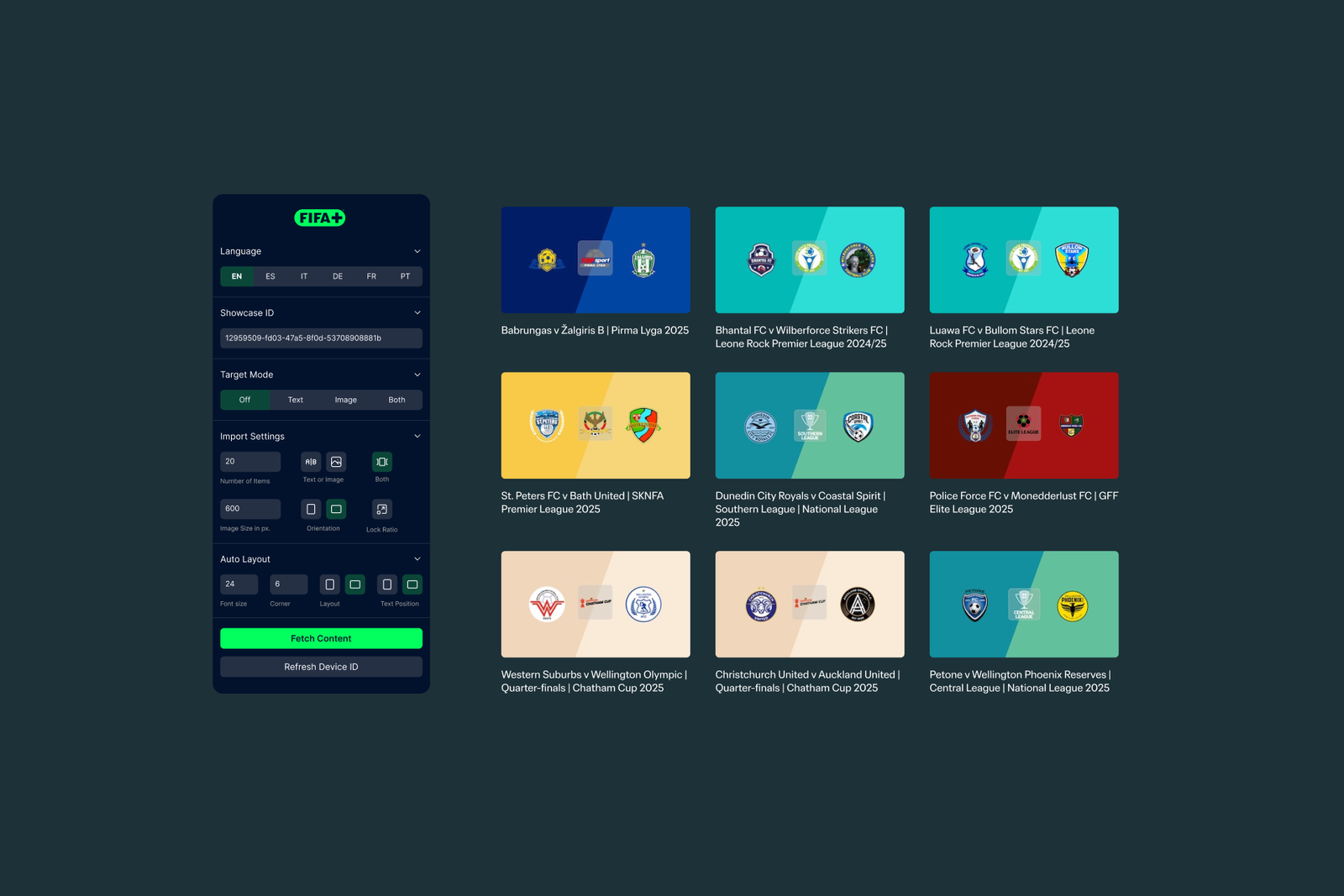
When the plugin starts, it shows a custom interface where designers can decide how FIFA+ content should be imported. They can choose how many items to pull in, the layout direction, whether to import images, text, or both, and visual options like font size, image dimensions, corner radius, and orientation. The plugin stores this UI state and reloads it every time, so each designer keeps their own preferred setup.
If no device ID is available (or the user wants to refresh it), the plugin calls the /device endpoint on the Worker, which registers a virtual device with FIFA+ and returns a valid deviceId. This ID is required for all subsequent content calls. Once refreshed, the new ID is also sent back to the UI so designers can confirm it updated correctly.
The core feature is importing FIFA+ showcase content directly into the Figma canvas. When the user triggers a fetch, the plugin sends a request to the /content endpoint with the deviceId, showcaseId, and language. Once the content is returned, the plugin processes it according to the selected import mode: visual-only, text-only, both, or “target mode” for updating existing layers.
In the standard mode, the plugin builds a structured layout from scratch. It creates a parent frame that contains one frame per content item. For each item, it optionally fetches the corresponding image through the Worker’s /proxy endpoint (also resizing it via query parameters), and draws it into a rectangle or frame node. It then adds the title as a text node above or below the image, depending on the chosen text position. Fonts are loaded asynchronously, preferring “FIFA Sans” and falling back to “Inter” if the font is not available. At the end, the parent frame is selected and the viewport zooms to the imported content so designers can immediately start working with it.

For more advanced workflows, the plugin includes a “target mode” that maps incoming content onto existing layers instead of creating new ones. There are three target modes: text, image, and combo.
- In text mode, selected TEXT layers are replaced with FIFA+ titles.
- In image mode, selected FRAME or RECTANGLE layers are updated with the corresponding cover images.
- In combo mode, designers select both text and shape layers; the plugin then assigns titles to text nodes and images to frames/rectangles based on their order in the selection.
This allows designers to keep their layouts and just swap content in and out.
Throughout the process, the plugin keeps the user interface in sync with what’s happening in the background: it reports how many items were found, how many will be imported or updated, and which step is currently running. Users can cancel at any point; the plugin checks for cancellation between steps and stops cleanly if requested, sending a final status back to the UI.
Error handling is built into every stage: JSON parsing, network calls, font loading, image downloads, and node creation. When something goes wrong, the plugin informs the user with clear notifications via figma.notify() and UI messages, and applies sensible fallbacks such as inserting placeholder rectangles when images fail to load. This makes the import workflow robust while still giving designers immediate feedback when something needs attention.
Conclusion
What started as a time-consuming manual task became a fully automated workflow. The plugin now brings FIFA+ content straight into Figma, already formatted and organized, so designers can focus on creativity instead of setup. It combines secure data access, flexible import options, and a responsive interface—all designed to fit naturally into a designer’s daily workflow.
See it in action